# Authentication
Templated uses API keys to allow access to the API. \
To get started, create a free account here. \
Once logged in, you can find your API key in the API Key tab of your dashboard. \
This API key will give you full access to all API endpoints.
## How to find your API key
Follow these simple steps to locate your API key in the Templated dashboard:
1. **Log in to your Templated account**
Go to app.templated.io and sign in with your credentials.
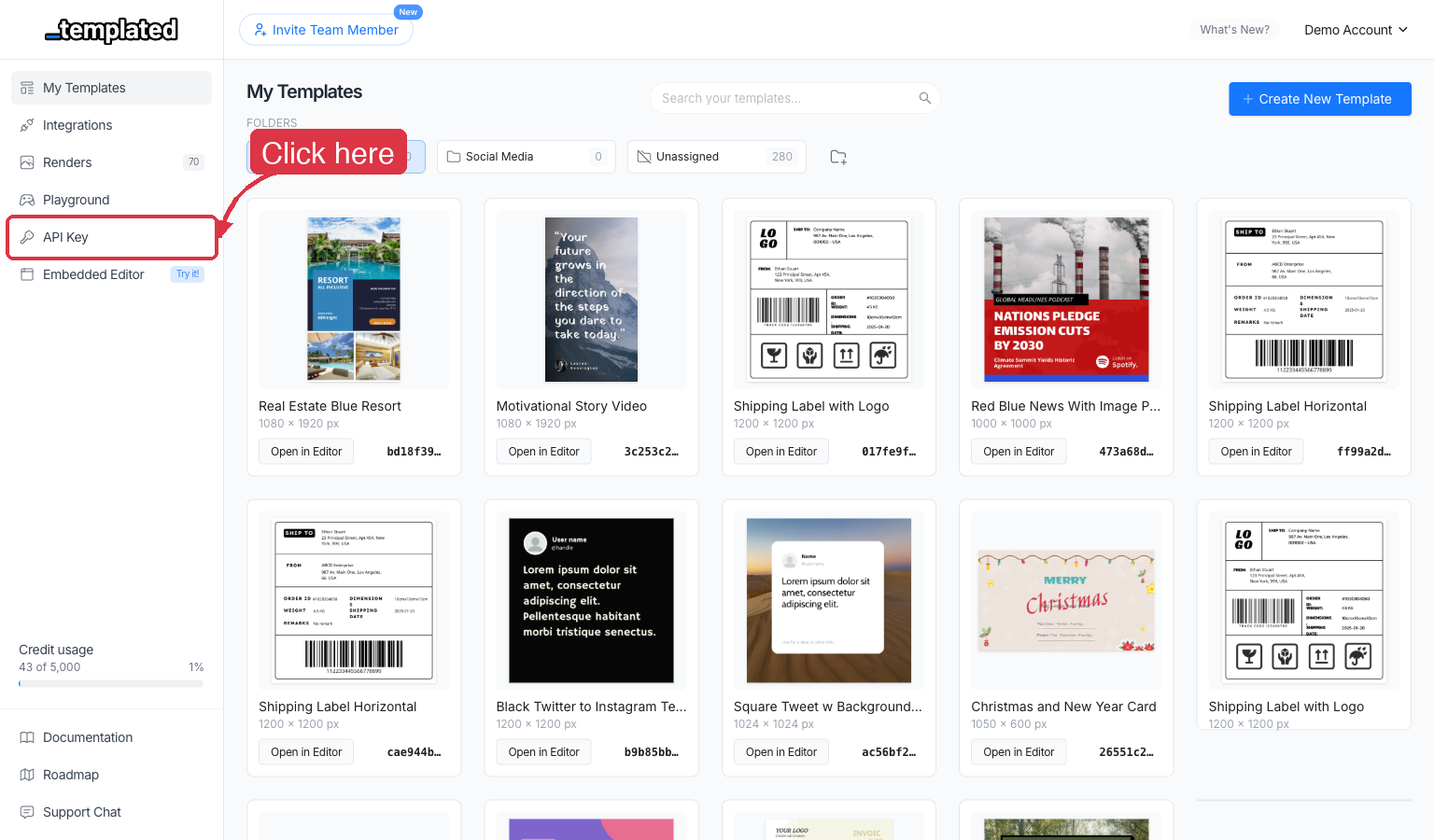
2. **Click on "API Key" in the sidebar**
In the left sidebar navigation, look for the **API Key** menu item and click on it.
 3. **Copy your API Key**
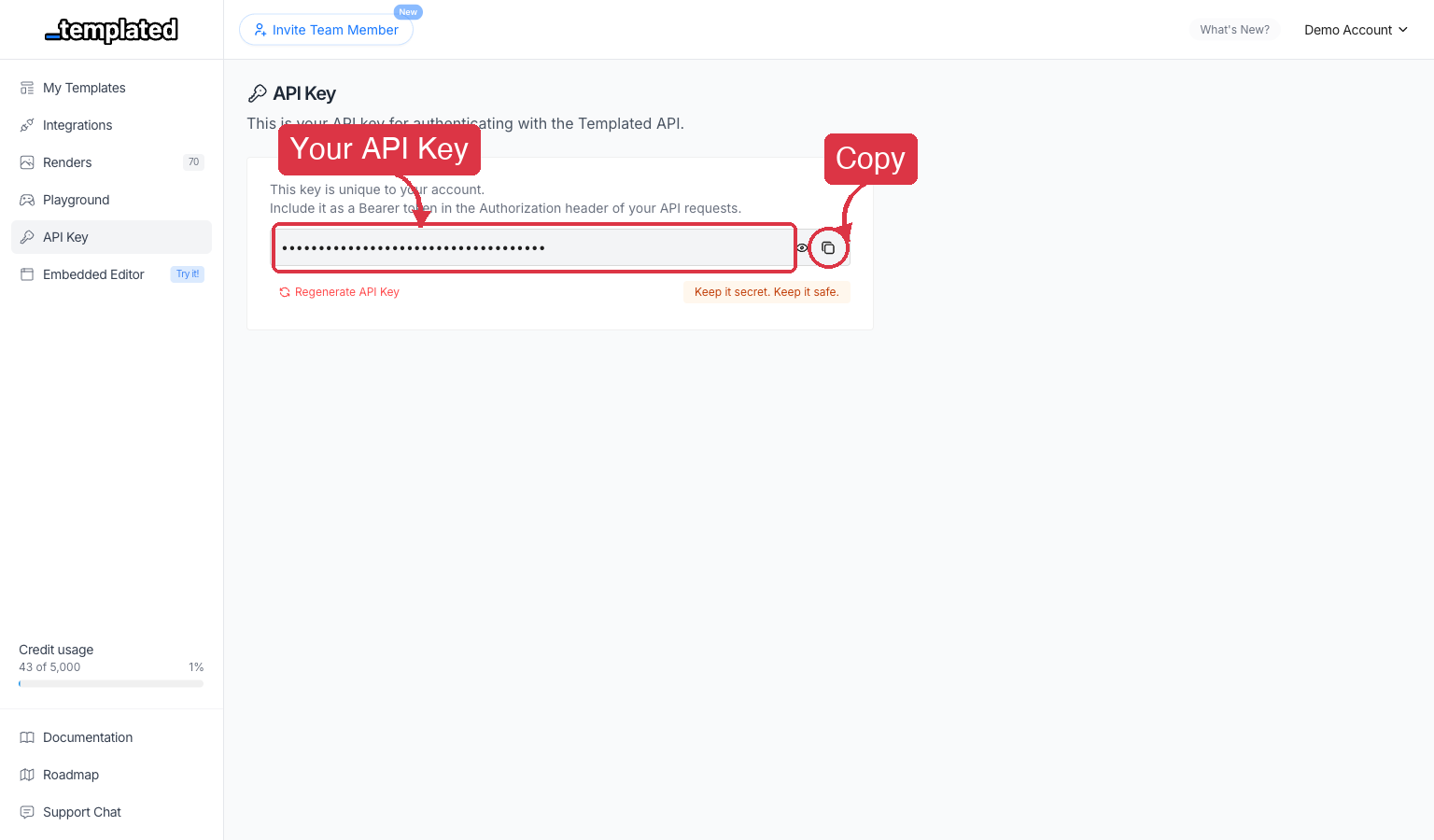
Your API key will be displayed on the page. Click the **copy button** to copy it to your clipboard.
 :::caution[Keep Your API Key Secure]
Your API key provides full access to your account. Never share it publicly or commit it to version control. Store it securely in environment variables.
:::
## Authorization Header
The API expects the API key to be included in **all** requests in the `Authorization` header as a `Bearer` token:
```php title="AUTHORIZATION HEADER" "API_KEY"
Authorization: Bearer API_KEY
```
## Base URL
This is the base URL that all requests to the API should be made to:
```php title="BASE URL"
https://api.templated.io
```
In the next steps we will see sample code to create, retrieve and list renders and templates usign the API.