
Authentication
Templated uses API keys to allow access to the API.
To get started, create a free account here.
Once logged in, you can find your API key in the API Key tab of your dashboard.
This API key will give you full access to all API endpoints.
How to find your API key
Section titled “How to find your API key”Follow these simple steps to locate your API key in the Templated dashboard:
Log in to your Templated account
Go to app.templated.io and sign in with your credentials.
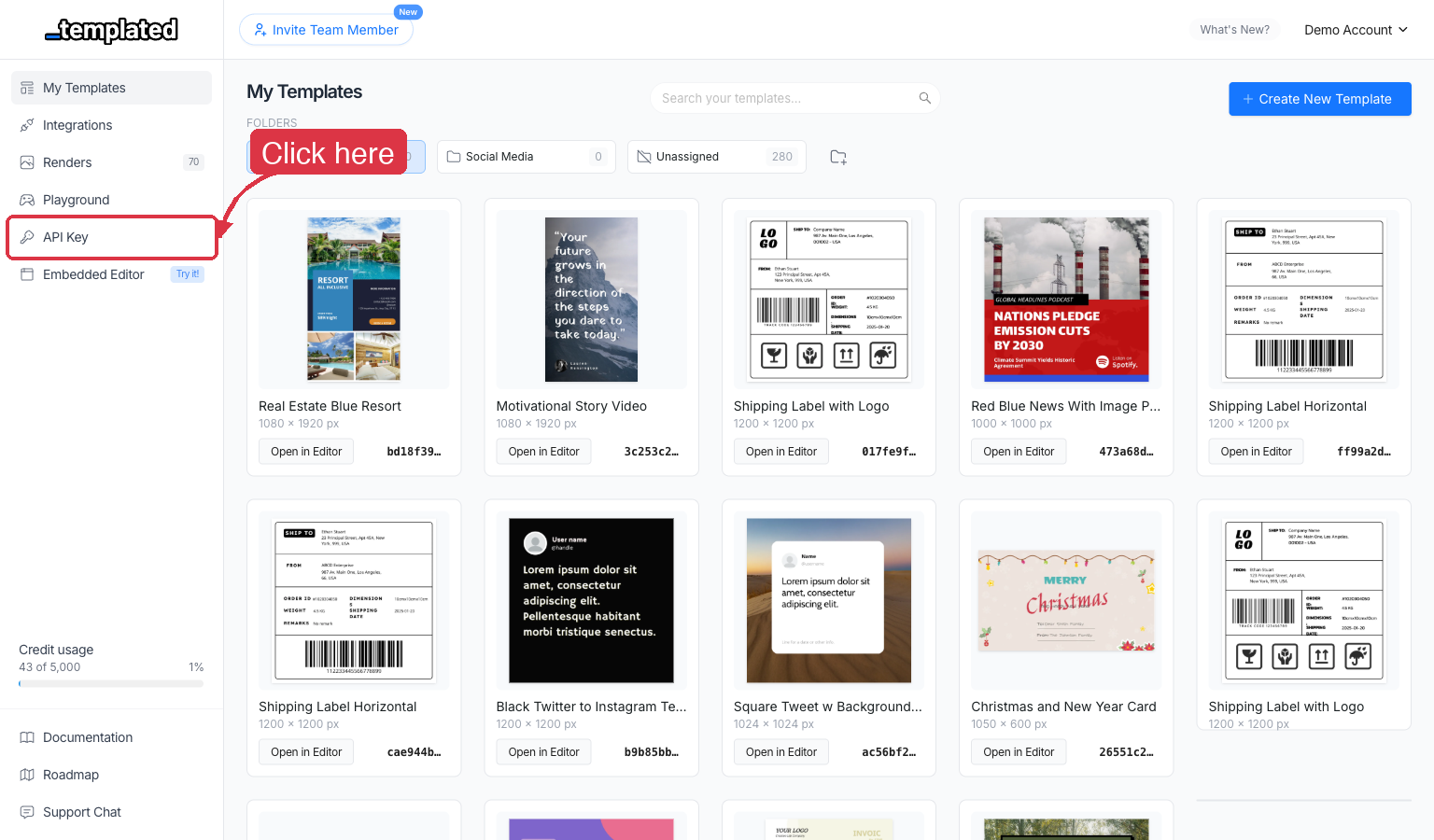
Click on “API Key” in the sidebar
In the left sidebar navigation, look for the API Key menu item and click on it.
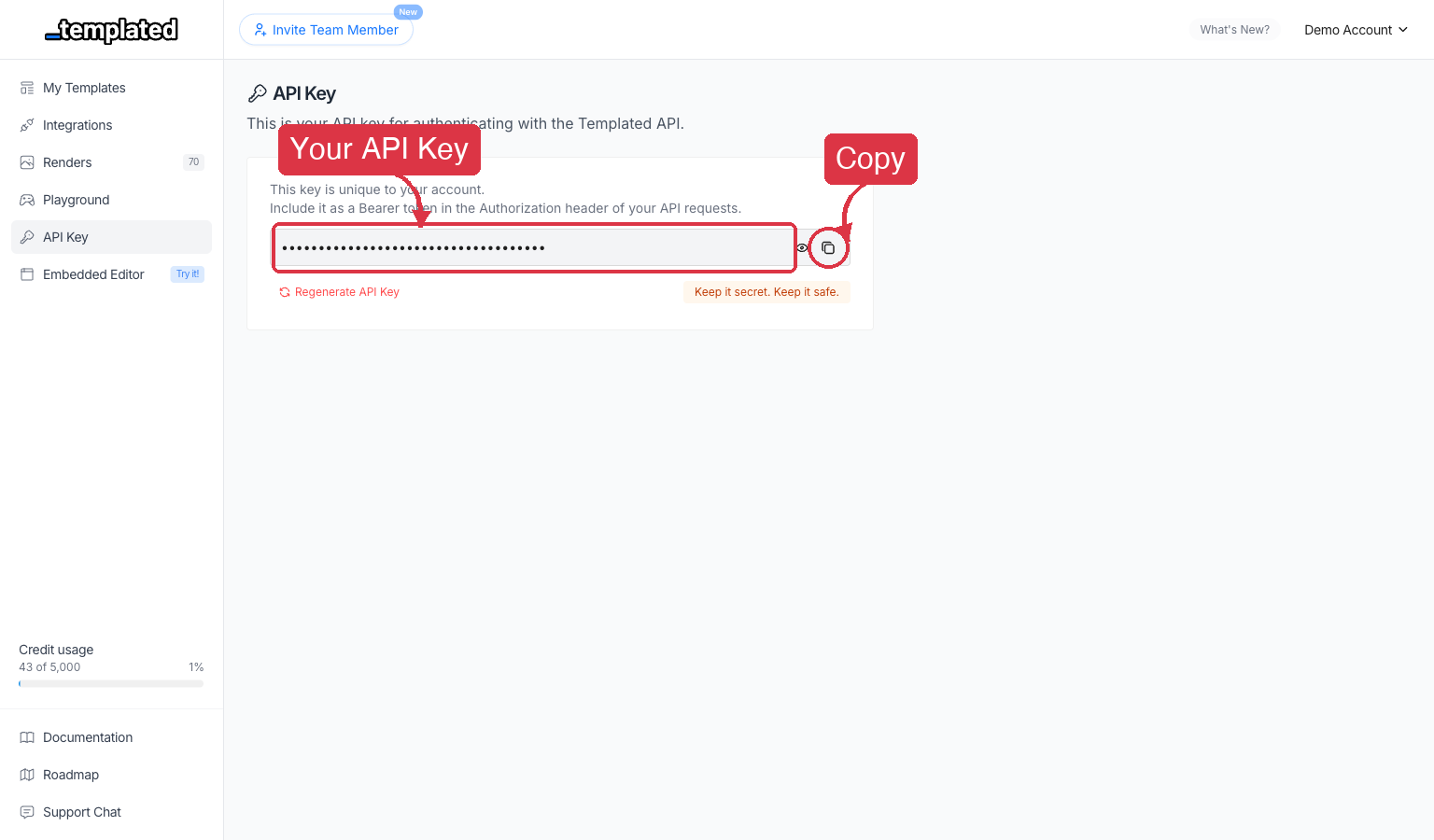
Copy your API Key
Your API key will be displayed on the page. Click the copy button to copy it to your clipboard.
Authorization Header
Section titled “Authorization Header”The API expects the API key to be included in all requests in the Authorization header as a Bearer token:
Authorization: Bearer API_KEYBase URL
Section titled “Base URL”This is the base URL that all requests to the API should be made to:
https://api.templated.ioIn the next steps we will see sample code to create, retrieve and list renders and templates usign the API.