· Tutorial · 9 min read
What is Creative Automation? How Different Industries Can leverage It
Discover what creative automation is and how it’s transforming industries. Learn how businesses in marketing, eCommerce, and media can use automation to scale content creation, save time, and boost productivity in 2026.

Every marketing team is doing the same math right now. One campaign, ten channels. Five sizes per channel. A dozen small edits for regions, offers, or dates. That is before anyone asks for a last-minute change.
This is why creative automation is no longer a future concept. It showed up because the old way stopped working. The demand for visuals keeps rising, but the time to create them keeps shrinking. Teams either automate or fall behind.
The shift is already visible in the numbers. The creative automation AI market is projected to reach USD 34.8 billion by 2033, which reflects how many businesses are actively adopting these tools to keep pace. HubSpot’s State of Marketing report adds another layer. Marketers using automation are 46 percent more likely to meet their digital marketing goals. That gap exists because speed and consistency now matter as much as ideas.
Marketing teams feel this pressure first. Launches happen faster. Campaigns stretch across platforms. Visuals need small changes again and again. Doing this by hand does not scale, and it usually ends with rushed designs or missed deadlines.
Creative automation fixes that specific problem. It allows teams to produce high volumes of visuals from a single layout without redoing the work each time. The work shifts from repetitive editing to planning, testing, and improving campaigns.
If you are here because you want to understand what creative automation actually is, you are in the right place. And if you are here because you want to see how it applies to your own industry, we have that covered too.
Let’s start with what it is.
What Is Creative Automation?
Creative automation is a way to create a lot of visuals without doing the same work again and again.
Think about a single design. A banner. A social post. A product image. Now think about changing the headline, the price, the city name, or the date fifty times. Doing that by hand is slow and usually ends with mistakes.
Creative automation handles that repetition.
It uses smart algorithms, AI, APIs, and predefined rules to generate many versions of the same visual from one base layout.
The system swaps text, images, colors, or data automatically while keeping the design intact. Humans decide the idea and the layout. Basically, the system handles the heavy lifting.
This does not replace creative thinking. It actually protects it by eliminating repetitive tasks.
Creative automation is about scale without chaos. A stream of finished images that are ready to use across channels, markets, and campaigns.
Simple idea. Big relief for marketing teams. So that they can focus on creativity more!!
Why Teams Use Creative Automation
Saves time by removing repetitive edits
Reduces mistakes that happen with manual work
Makes it easy to produce hundreds of visuals at once
Keeps designs consistent across channels
Helps teams launch campaigns faster
Frees designers to focus on ideas, not resizing
Scales without adding more people
How Creative Automation Works?
Creative automation is about one thing. Creating a lot of images from a single layout.
Let’s make this real.
Say Christmas is coming up, and you want to send personalized greeting cards. Same design. Same message. One small change. The recipient’s name. Now imagine doing that for 500 people by hand. Open the file. Edit the name. Export. Repeat. You would still be doing it tomorrow.
With creative automation using Templated (an image generation API), the process looks different.
Sign up to Templated. And, start by picking one card from Templated’s template gallery. Then you mark the part that needs to change. In this case, the recipient's name. That field becomes dynamic.
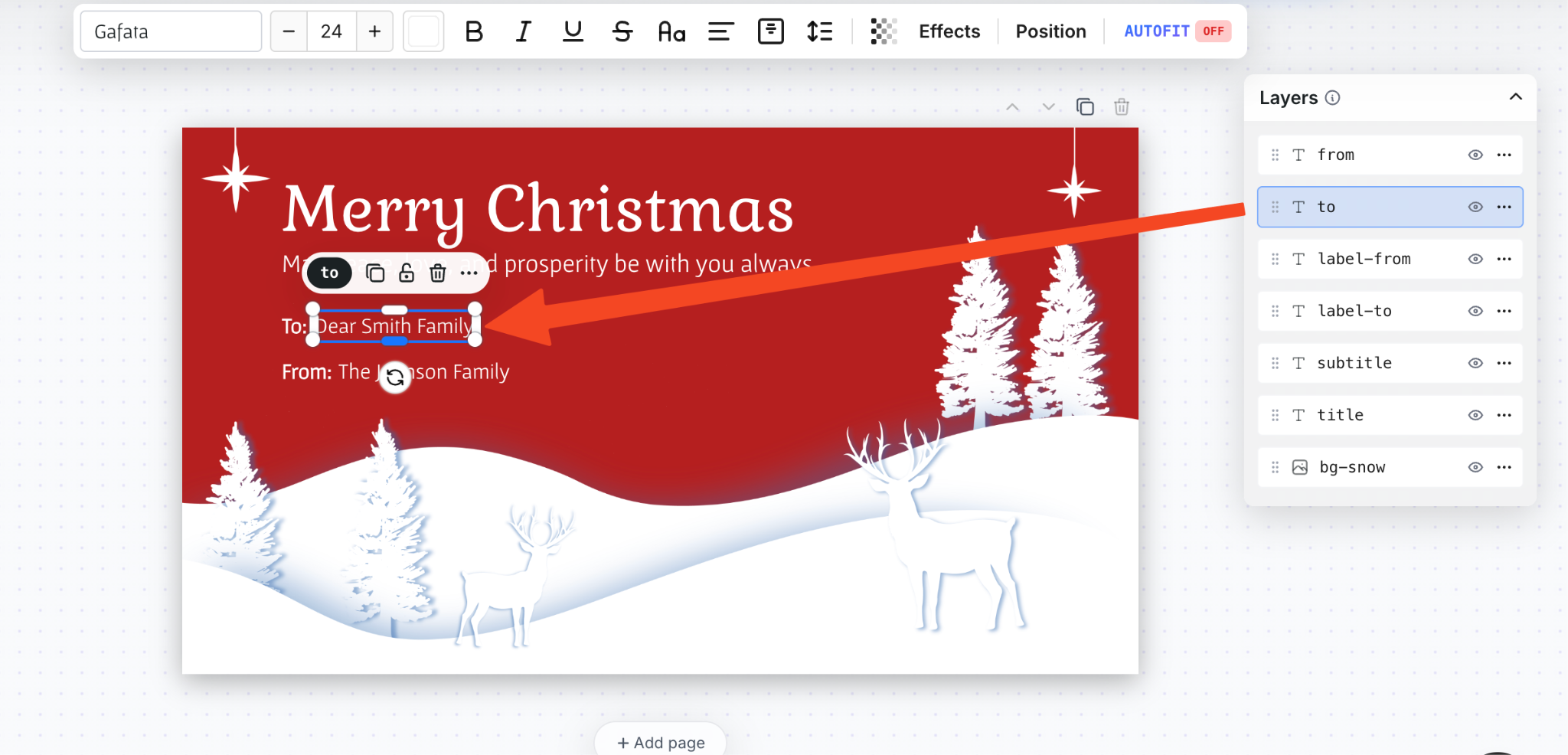
Once you have selected the template and decided what needs to change, the next step is simple. You need a list.
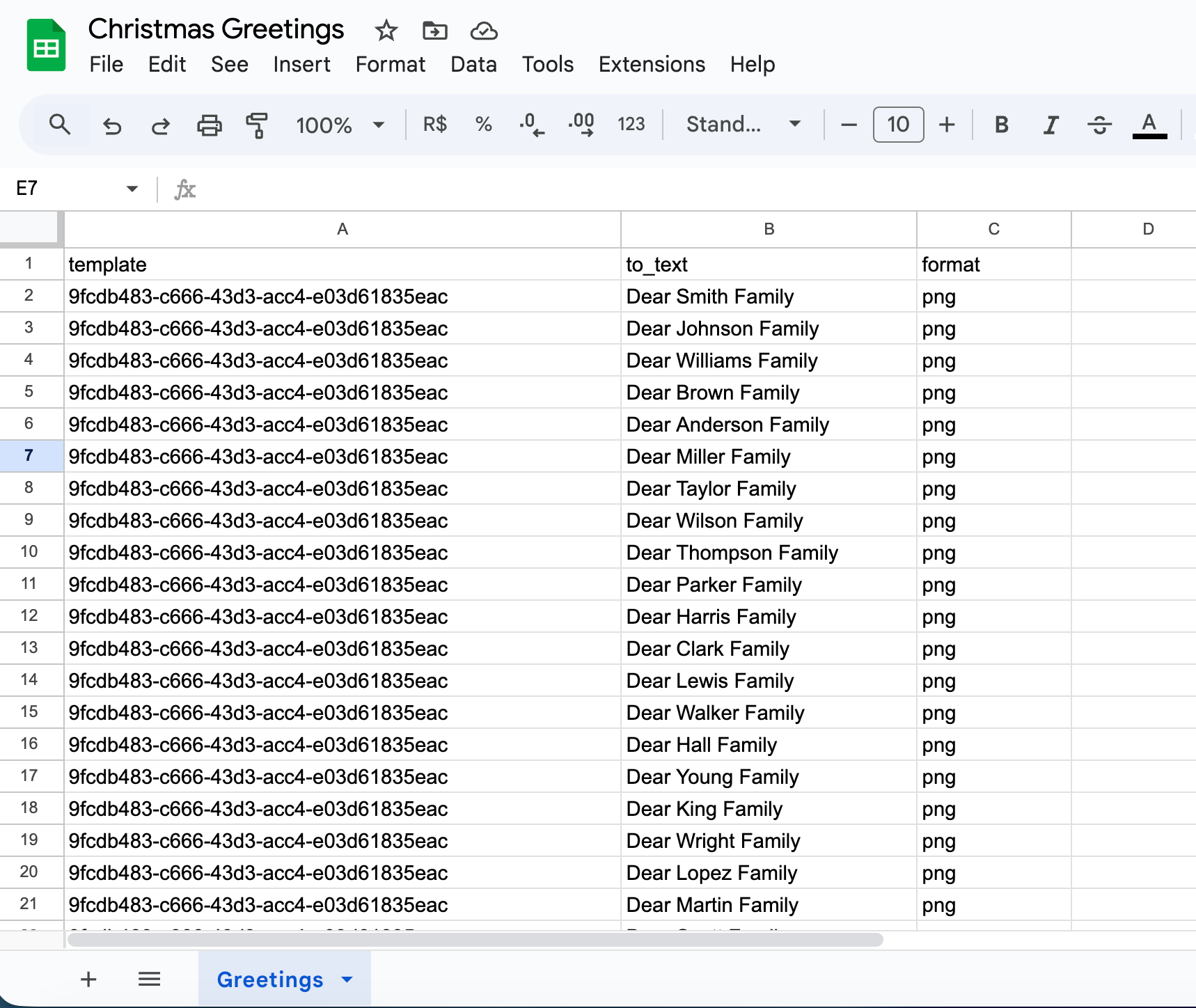
That list usually lives in a database like a spreadsheet. Names, titles, messages, anything you want to swap inside the design. This is where automation starts doing the heavy work.
You can connect that spreadsheet using no-code tools like Make, Zapier, or n8n. Pick whatever you are already comfortable with. The idea is the same. The data flows in. Images come out.
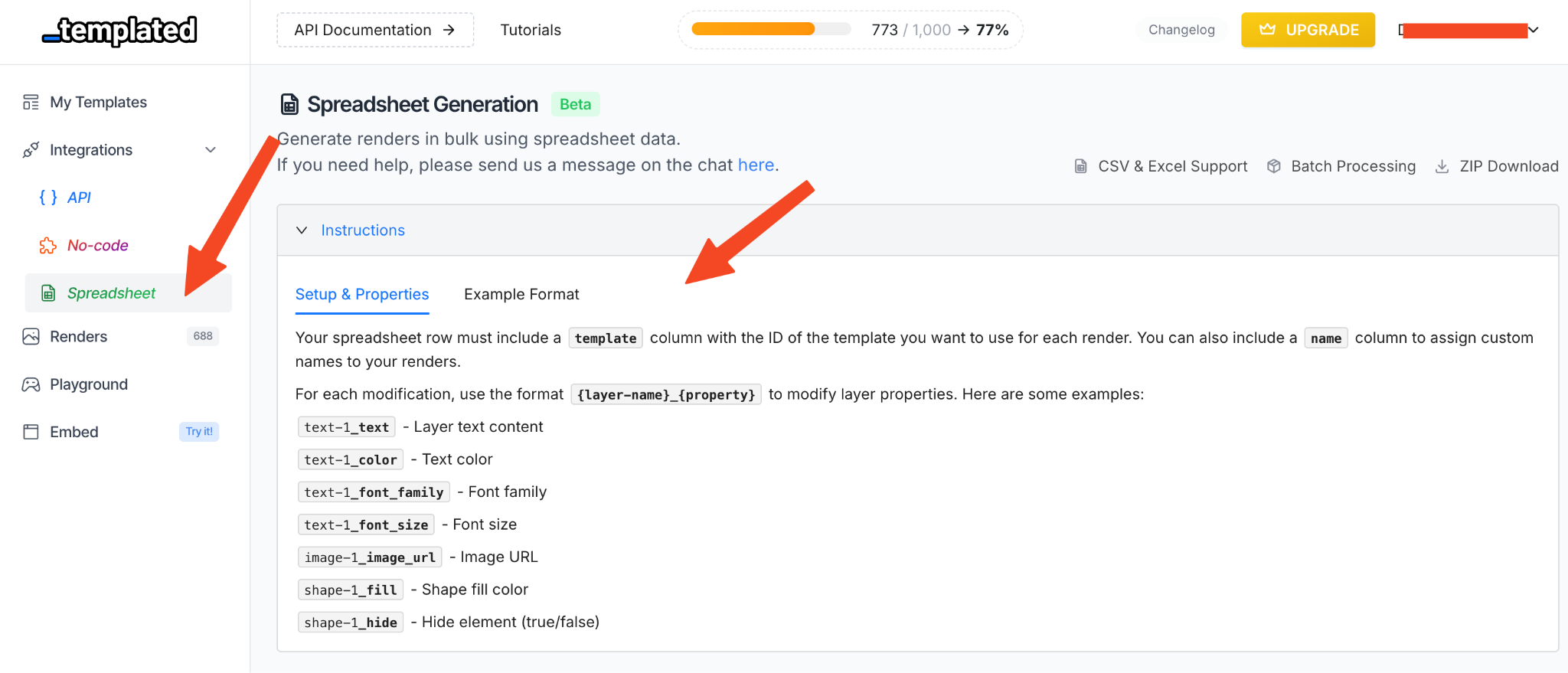
Templated also offers an in-built spreadsheet generation option if you want to keep things even simpler. You add the template ID, specify the layer you want to update, and paste in your data. That’s it.
I’m using that approach here. It keeps the setup clean and gets the images generated without extra steps.
Follow these steps to generate bulk images using the inbuilt spreadsheet automation.
I have filled in all the details in the spreadsheet. With this setup, you can also use more than one template. You just need to add a different template name.
Now download the file in CSV, XLSX, or XLS format and upload it here.
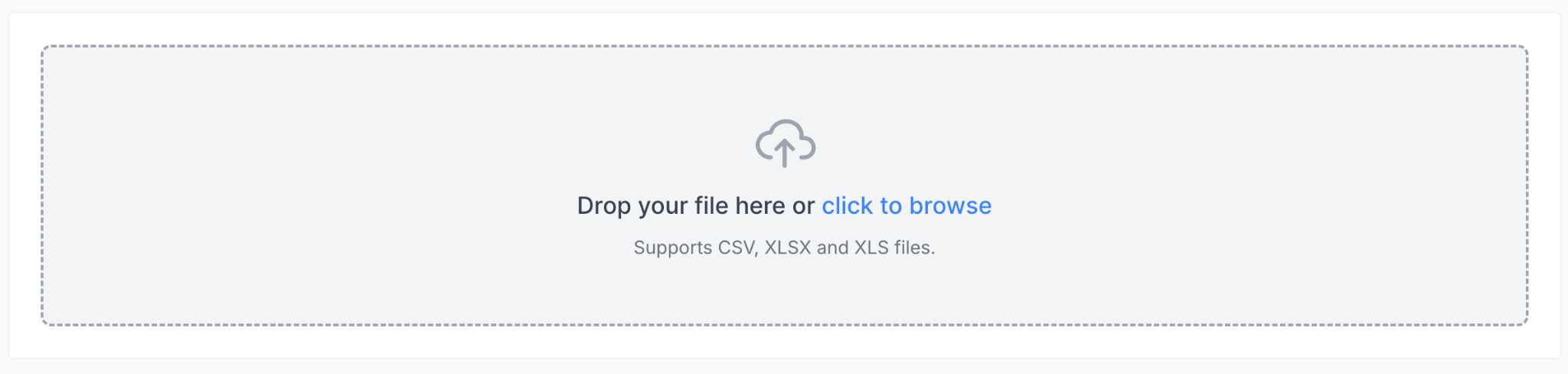
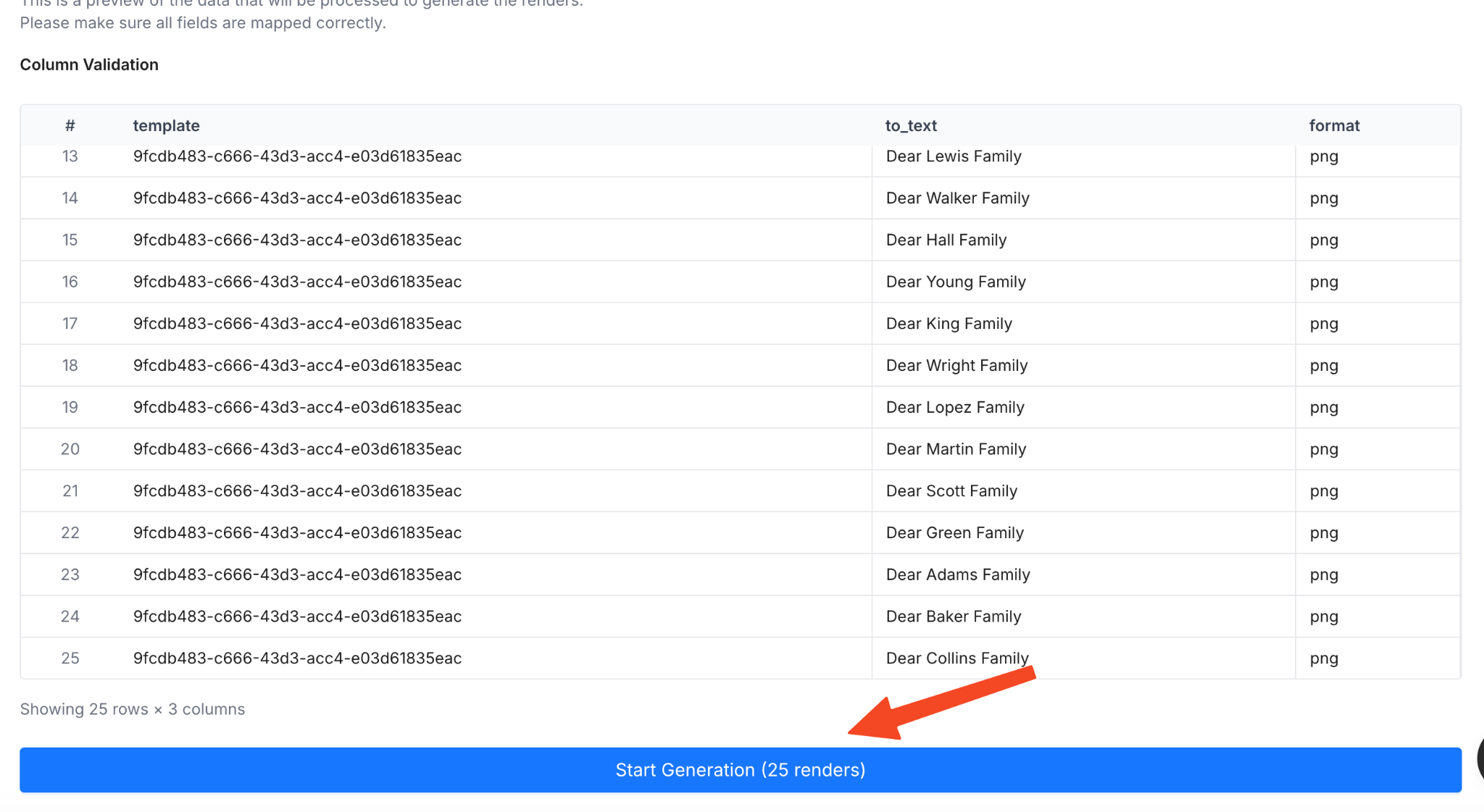
Once uploaded, the system will fetch the file. You can review the details and then start generating the images.
The images are now generated. You can download them as a single ZIP file.

All the greetings are generated with the same change, without errors, and downloaded in your system.
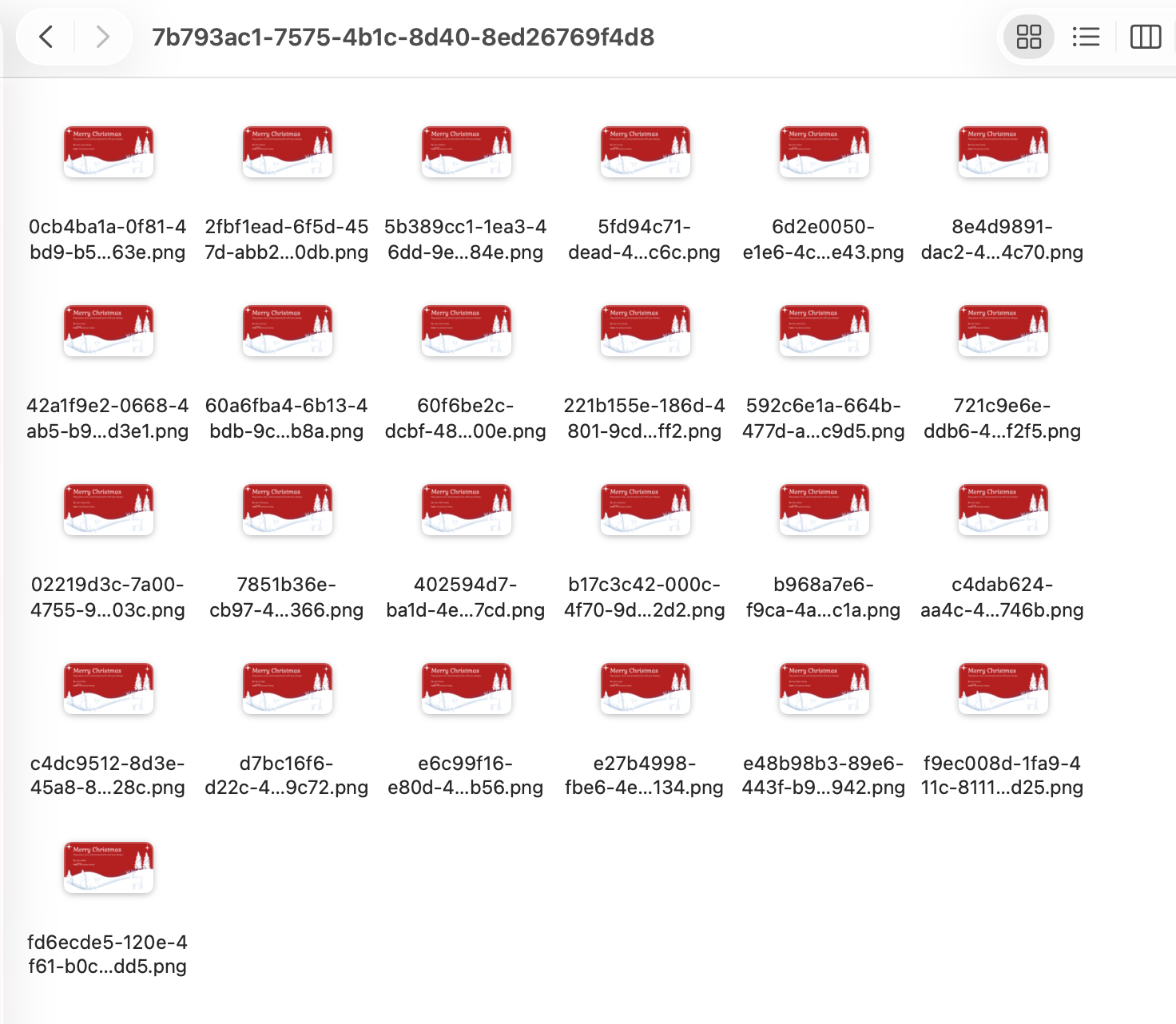
Doing this manually would take far more time and test your patience. This is exactly where creative automation proves its worth.
This example is only meant to show how creative automation works in practice. You can set it up in a way that fits your own team and workflow.
If you have a developer team, they can plug the API directly into your existing systems. All they need is the API key from the Templated dashboard, and they can build automation around it inside their existing setup. If you are comfortable with no-code tools, you can use those instead. And if you want to keep things simple, a Google Sheet or spreadsheet based setup works just fine.
It comes down to how you want your automation to run and what tools you prefer to use. The API stays flexible, handles scale cleanly, and generates images in bulk without things breaking.
How Different Industries Leverage Creative Automation
Creative automation works because the problem it solves is not limited to one industry. Almost every team runs into the same issue sooner or later. Repeating the same creative work and making small changes at scale. As expectations rise and timelines shrink, speed and efficiency stop being nice to have and start becoming necessary.
Here’s how creative automation is used across industries.
Social Media and Content Teams
Social teams live on variations. Same post. Different captions. Different formats. Different platforms. Creative automation lets them start with one layout and spin out dozens of versions without redesigning every asset. Campaigns move faster. Feeds stay consistent. Nobody is stuck repetitively making small changes to each image at midnight.
E-commerce and Retail
Retail visuals change constantly. Prices update. Discounts rotate. Product names shift. Creative automation makes it possible to update hundreds of product banners, ads, or promos in one go. E-commerce and retail teams also deal with a steady flow of invoices that follow the same format but carry different details. Creative automation handles this in bulk, keeping the layout consistent while updating the data automatically.
YouTube and Video Creators
YouTubers and video creators usually stick to the same thumbnail format, especially for series content. Across episodes, the layout stays the same. The guest's name changes. The image changes. Sometimes the episode number does too. Instead of rebuilding each thumbnail from scratch, they automate the process and generate them in bulk.
Real Estate Marketing
In real estate, listings change all the time. New properties are added. Prices get updated. Locations vary. Instead of designing each post again, teams use one layout and automatically fill in property details like price, address, and images. The design stays the same. Only the data changes.
Invoices, Receipts, and Documents
Operations teams deal with volume. Invoices. Receipts. Certificates. Labels. These documents follow strict layouts but need personalized data. Creative automation keeps formats consistent while swapping in names, amounts, dates, or IDs at scale.
Shipping and Logistics
Shipping labels are a classic example. They have the same structure but different names and tracking details. Automation handles the bulk generation cleanly, reducing errors and saving time across fulfillment workflows.
HR and Education
Certificates. Offer letters. Resumes. Event passes. All follow fixed designs with personalized fields. Creative automation lets teams generate these in bulk without worrying about formatting mistakes.
Seasonal and Event Campaigns
Holidays, sales, launches, and events create sudden pressure. Teams need a lot of visuals in a short time. With creative automation, they prepare one layout in advance and update details like dates, offers, or locations in bulk. The rush stays under control.
SaaS and B2B Teams
SaaS and B2B teams usually work with the same set of templates again and again. Blog feature images. YouTube thumbnails. LinkedIn posts. Product announcements. Offer banners. Brand promos. The layout stays familiar. The message keeps changing. They also post often. Sometimes daily. Sometimes across multiple channels at once. Doing that manually does not scale for long. Thought leadership is a big part of this. Founder quotes. Customer reviews. Product opinions. The format stays the same. Only the text changes. Instead of redesigning each post, teams use one template and automate the text updates in bulk.
Email Marketing Teams
Email teams deal with scale differently. They need to send thousands of emails to different names and different offers. And personalization matters in email marketing. According to Experian, 50% of companies believe they can increase engagement by improving personalization. That is a strong incentive to get it right.
But personalization is also where things get messy. Subject lines change. Email copy changes. Images need to match the message. Doing this manually invites errors and slows campaigns down.
This is where creative automation helps. Teams use one email layout and generate personalized images in bulk. Names, offers, locations, or product details are swapped automatically. The emails feel personal without being fragile. The process stays efficient and error free.
Wrapping Up
Creative automation is no longer about doing more for the sake of it. It is about keeping up without burning people out. When campaigns scale, channels multiply, and timelines shrink, repeating the same creative work by hand stops making sense.
That is where tools like Templated fit naturally into a modern workflow.
With Templated, you can generate bulk images from a single layout using code, no-code tools, or the in-built spreadsheet image generation option. You can plug it into Make, Zapier, or n8n, or skip automation tools altogether and still get the job done. It works whether you are technical or not. The setup stays simple. The output stays consistent.
If you want to try it yourself, sign up, and you will get 50 free credits to test creative automation in real scenarios.
If you want ideas on how teams are already using it, these guides are a good place to start: