· Alternatives · 12 min read
Design Huddle vs Polotno vs Templated: Choosing the Best Image Editor To Embed on Your App
Comparing Design Huddle, Polotno, and Templated to find the best white-label image editor for your app. This guide breaks down features, integration methods, pricing, and use cases to help SaaS teams choose the right editor without heavy maintenance.
Building an image editor for your app or website may sound interesting at first. But maintaining it in the long run can put a strain on your team’s time and focus.
That’s where these already-built SDKs can make a big difference. If you’ve landed on this article and are reading along, chances are you’ve done your research and are weighing the top options.
And I can assume that Design Huddle and Polotno are among your leading contenders.
Rightly so. Both are solid image editors that can be integrated into your platform and perform well. So in this post, I’ll walk you through their core features, flexibility, and where each of them truly shines.
I’ll also introduce you to Templated’s White Label Image Editor, which stands out among both and delivers exceptional value in some areas.
Design Huddle
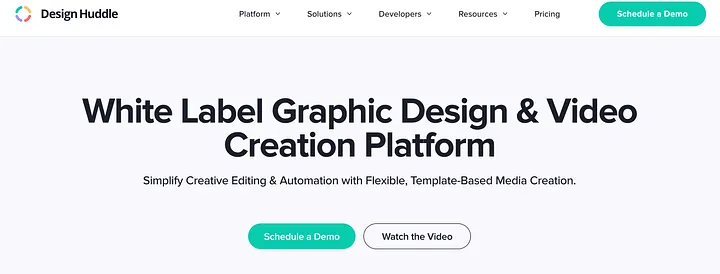
Design Huddle is a white-label design platform you can embed in your product. It gives you a modern, drag-and-drop editor with brand control, template locking, and print-ready export. It is built for teams that need users to create on-brand graphics for web and print without leaving the app.
The UI is clean and fast. You can style the editor to match your product and decide what tools appear for your users.
Integration
From a developer’s perspective, Design Huddle runs as a hosted editor that you embed in an iframe. You launch projects with a secure URL that includes a short-lived token. Templates, assets, and users are managed through REST APIs. A small frontend SDK lets you listen for events, update elements, fetch previews, and save back to your storage.
This means you keep your own auth and data model while the editing happens in the embedded window. You can brand the editor with your logo, colors, and domain so it feels native.
Feature highlights
Design Huddle covers the core features you expect in a design editor:
Canvas and layout: Multi-page designs, layers, guides, snapping, zoom, and print bleed and margin controls
Image tools: Upload, crop, resize, mask into shapes, filters, and background removal
Text and fonts: Rich text editing, custom fonts, alignment, spacing, curved and outlined text, right-to-left support
Templates: Lock elements, define editable zones, and create placeholders for text and images
Brand assets: Assign fonts, logos, and libraries per tenant or user group
Export options: High-quality PNG and JPG, plus print-ready PDF with CMYK, crop marks, and bleeds
Stock libraries: Access to images and icons from popular sources
Mockups: Render live previews on product photos for a real-world view
In terms of white labeling, the editor UI is skinnable. You can change branding, rename tools, and hide features to match your workflow.
Design Huddle Pricing Overview
Pricing: Available on request
Plans: Vary by usage, features, and support level
Notes: Editor is included in paid plans, print exports, and advanced features may have limits based on tier
Ideal Use Case
Design Huddle is well-suited for teams that need a robust web-based editor with strict brand control and print specs. It is popular with web-to-print platforms, e-commerce personalization, franchise portals, and SaaS tools that want non-designers to produce on-brand assets at scale.
Pros
Strong brand control with template locking and editable zones
Print-ready PDF export with CMYK, bleeds, and crop marks
Solid asset management with stock libraries
Mockup previews for product personalization
API plus frontend SDK for workflow control
Limitations
Pricing available on request
Iframe embed requires token generation and backend setup
Some advanced features sit behind higher tiers
Right-to-left text editing and alignment may need extra configuration and may not cover all scenarios; verify full RTL layout support during trial
Polotno Overview
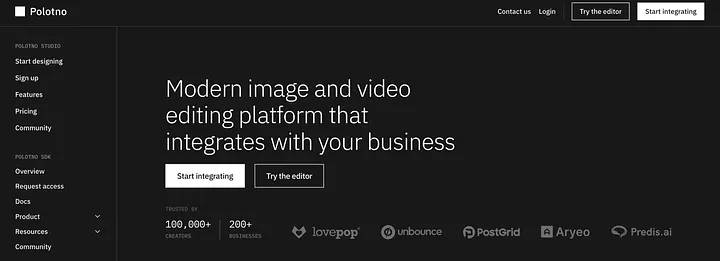
Polotno is a developer-friendly JavaScript SDK that lets you add a Canva-style image editor inside your product. It ships as a set of UI components and APIs so you can build an in-app editor that feels native. Teams use it to give users a multi-layer canvas, rich text, image tools, and template workflows without building everything from scratch.
The editor is quick and responsive. You control branding and which tools are visible.
Integration
From a developer’s perspective, Polotno is a JS or TS library that you install in your codebase. You render the editor inside your React, Vue, Angular, Next.js, or vanilla app and wire it to your auth, storage, and backend. You can subscribe to events, modify panels, and extend behavior because the components are modular.
This approach gives you deep control, but it does require engineering time to configure options, manage assets, and handle save and export flows in your app.
Feature highlights
Polotno covers nearly the full spectrum of features you expect in a design editor:
Canvas and layout: Multi-page designs, layers panel, zoom and pan, snapping and alignment, guides, and print bleed settings
Image tools: Upload, crop, resize, rotate, and flip, masking, one-click background removal through a cloud API
Text and fonts: Rich text editing, custom font upload, alignment and spacing, text curving and styling
Shapes and graphics: Libraries of shapes, lines, icons, and optional stock search through Unsplash API
Templates: Create and load templates, lock elements, and reuse layouts
Export options: Download PNG and JPG, PDF, and SVG available for print quality output
White label: Skin the UI to your brand and enable or hide features per your workflow
Polotno Pricing Overview
Team plan — $199 per month
- For teams with under ten employees
- Up to ten thousand editor loads per month
- Tiered support access
Business plan — $399 per month
- For teams with under fifty employees
- Unlimited editor loads
- Higher priority support
Enterprise plan — custom pricing
- For larger teams and companies
- May include source code access and custom SLAs
Notes
Rendering through Polotno cloud is billed per use, at about $0.004 per image render
Background removal uses a cloud service at about $0.03 per removal
A 100-day free trial is available on a development domain
Read More: 4 Best Polotno Economical & Feature Rich Alternatives
Templated Overview
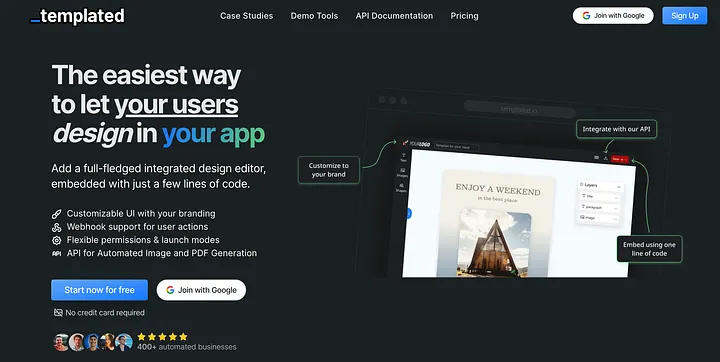
Finally, let me introduce Templated’s white label Image Editor for your app, a product I have built after working closely with SaaS teams, agencies, and web-to-print businesses. It gives you a Canva-like image editor that lives inside your own product, looks like your brand, and stays easy to run over time.
Again and again, customers asked for the same things. A clean editor that launches fast. Strong control over templates so designs stay on brand. Print-ready output when needed. Helpful chat support from real people. Templated is shaped around these needs so your users can start creating in minutes.
Templated keeps your brand front and centre and works well for global audiences. We listened to teams that create in Arabic and Hebrew and added full right-to-left text support.
Here’s a small video walkthrough of our editor: -
Feature highlights
Templated covers the core features you expect in a modern Canva like editor:
Canvas and layout: Multi page designs, layers panel, drag and drop, zoom and pan, snapping, align and distribute, grouping, duplicate, and precise size and position controls
Text and fonts: Rich text editing, font library, custom font upload, headings and styles, color, letter spacing, line height, lists, and full right to left text and alignment
Images: Upload from device, crop, resize, rotate, flip, opacity, masks into shapes, and corner radius
Shapes and graphics: Basic shapes and icons with fill, stroke, and shadow controls
Templates: Ready templates to start with, create your own templates, lock elements, define editable areas, and keep everything on brand
Brand assets: Shared folders for logos, fonts, and reusable elements so teams work from one place
Export options: High resolution PNG and JPG, transparent PNG, and PDF for print workflows; control size presets and custom dimensions
Controls: Turn tools on or off per project, lock layers and positions, limit colors and fonts for brand safety
Keyboard and speed: Common shortcuts for faster editing and quick actions for duplicate, align, and reorder
Security: Domain allowlisting and developer mode for safe testing
Automation-ready: The same templates can be rendered at scale with the Image Automation API when you need batch creation
Integration
Templated runs as a hosted editor that you place in your app with a single embed URL inside an iframe. You set everything in the dashboard, copy the URL, allowlist your domain, and the editor loads inside your product with your branding. There is no package to install & it works with any web stack or site builder.
Typical flow
Create a project in the dashboard and choose which tools and templates are available.
Allowlist your app domain and copy the unique embed URL.
Place the URL in an iframe in your app. You can pass identifiers such as a user or template id as query parameters.
Handle saves and exports with webhook callbacks. Your backend receives the event and downloads the exported files from secure links.
Manage assets and fonts in the dashboard. Teams can update templates and brand libraries without shipping code.
Security and control
Domain allowlisting keeps the editor loading only where you intend.
You decide which features are visible per project, so the editor matches your workflow.
Templated Pricing Overview
Editor embed on monthly billing: $99 per month
Editor embed on annual billing: $79 per month billed annually
Free trial available for testing on a dev setup
Custom plan for larger teams and compliance needs
No SDK to install and no end-user fees. Your users do not need a paid account
Ideal Use Case
Templated is a strong fit when you want a Canva-like editor that launches fast and stays simple to maintain. It works well for SaaS products, agency portals, and internal tools where teams edit from brand templates and export web or print files. It suits global audiences that need right-to-left text and alignment. If you later want automated image creation at scale, you can reuse the same templates with the automation API.
Here’s a full comparison of the feature list of all three products.
| Feature | Templated | Polotno | Design Huddle |
|---|---|---|---|
| Integration Type | No-code URL embed | JavaScript SDK | Hosted editor with API and optional SDK |
| Requires SDK? | No | Yes | No (iframe), optional SDK |
| Editor Embedding Method | Embed via URL or iframe | SDK inside React/Vue/JS app | Embed via iframe with secure URL |
| Custom Branding (Logo/Colors) | ✅ | ✅ (via config/code) | ✅ (full white label) |
| Template Support (Built-in) | ✅ (library + team templates) | ❌ (no built-in library) | ✅ |
| Template Upload (Custom) | ✅ | ✅ | ✅ |
| Stock Asset Library | ✅ (Pixabay + custom) | ✅ (via Unsplash API) | ✅ (built-in libraries) |
| Custom Fonts Support | ✅ | ✅ | ✅ |
| Drag-and-Drop Canvas | ✅ | ✅ | ✅ |
| Layered Editing | ✅ | ✅ | ✅ |
| Image Upload & Crop | ✅ | ✅ | ✅ |
| Text Editing & Styling | ✅ | ✅ | ✅ |
| Right-to-left (RTL) text & alignment | Full RTL across editor | Partial (via code) | Partial (verify full layouts) |
| Webhooks / Events Support | ✅ (webhooks) | ✅ (events/hooks) | ✅ (APIs & webhooks) |
| Platform Support | Web only | Web only (works in mobile browsers/WebViews, no native SDK) | Web only (works in mobile browsers/WebViews, no native SDK) |
| Export to PNG/JPG | ✅ | ✅ | ✅ |
| Export to PDF | ✅ | ✅ | ✅ (CMYK & bleeds) |
| Pricing Transparency | Public: $99 monthly, $79 annual | Public: Team $199, Business $399 | On request (contact sales) |
| Free Trial Available | ✅ (dev mode, no card) | ✅ (100-day dev trial) | Demo or trial on request |
| Image Automation API | ✅ Built-in render API (REST/URL) | ✅ Cloud Rendering API (paid add-on) | ✅ Creative automation via API (contact sales) |
Conclusion
Choosing between Polotno, Design Huddle, and Templated comes down to your use case, team capacity, and how much setup you want to manage.
Polotno: A capable canvas editor with a light SDK. Good if you have developer time and want flexibility without a heavy footprint.
Design Huddle: Built for brand control and print needs. Good if you require CMYK, bleeds, and a managed iframe flow.
Templated: The quickest route to a white label editor. Embed by URL, keep control, and ship without a long build.
Templated is newer, yet it covers the core needs teams ask for while removing extra steps.
If you are also weighing IMG.LY, I have a separate comparison that looks at Polotno vs IMG.LY vs Templated with more detail on SDK depth and pricing notes. You can read it here!!
Where Templated Stands Out
Embed by URL. Add the editor in minutes. No SDK required.
Smart default. You start with sensible settings and tweak as you grow.
Full RTL support. Right-to-left text and alignment work across the editor, which solves a common gap you see elsewhere.
Real-time help. Live chat with humans who unblock you fast.
Editor plus automation. Generate images with the API at scale, then open the same designs in the editor for final tweaks inside your app. This is the workflow teams use for social posts, catalog updates, and ads. See how Fastpost.es does it in our case study: [Read Case Study].
With Polotno, you still have the option to generate images through its cloud rendering API. You build the design with the SDK, send the design data to a render endpoint, and get a PNG, JPG, or PDF back, but it sits outside the editor flow & you manage usage-based rendering on top of your SDK work.
With Design Huddle, you can create a project from a template by API, swap text and images, request previews, and export print-ready files, but it usually needs backend token handling and an OAuth setup to orchestrate the flow.
Templated keeps both parts together. You call a simple REST endpoint to generate at scale and then open the same design in the embedded editor for quick last-mile edits inside your app.
If you need a production-ready image editor without a long integration, Templated gets you there quickly.
Additional Resources
4 Best Web to Print SDKs in 2026
5 Best Image Editors That You Can Embed in Your App
Canva Connect API vs Templated: Which One Makes Sense For Your Product?