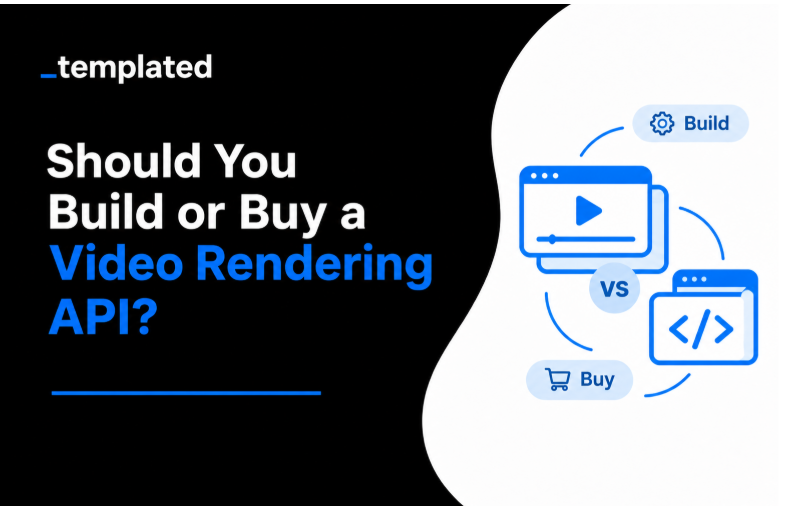
Should You Build or Buy a Video Rendering API?
Build or buy a video rendering API? Compare FFmpeg pipelines and rendering APIs on cost, maintenance and fit, plus a 7-question checklist to help you decide.
In this article
Your product needs to turn data into MP4s- a 15-second video for every new property listing, or a promo clip that updates when a price changes. And someone on the team has already asked why you'd pay for an API when FFmpeg is free.
The demand for scalable video production is growing alongside video adoption. According to Templated's 2026 video marketing statistics and trends report, sales representatives using automated, triggered video generation workflows can save more than 40 hours per month per representative.
That's a significant amount of time recovered by automating repetitive video production tasks. But scaling these workflows requires reliable rendering infrastructure, which brings us to the build-versus-buy decision. Here's the short answer. Buy a video rendering API when your videos are variations of a few layouts, video supports your product rather than being the product, and you need it live within weeks.
Build in-house when rendering is what customers pay you for, when your videos need logic a template can't express, or when your data can't leave your infrastructure. Every build case also needs someone to own the pipeline after launch. Keep four things in mind:
- FFmpeg is an encoding engine. A rendering service is everything around it.
- Cost per video depends on resolution, frame rate and duration, not just volume.
- The biggest build cost is running the pipeline after launch.
- You can own the workflow and rent the renderer.
First, Make Sure You're Comparing the Right Thing
Most build-vs-buy guides for video cover live calls or streaming, and their numbers don't carry over. A video rendering API takes a template plus data (text, images, clips, timing) and returns a finished file.
Video API Pricing Cheat Sheet
| Category | What It Produces | Usual Pricing Unit |
|---|---|---|
| Video Rendering API | Finished MP4s from templates and data | Credits, rendered minutes or seconds |
| Real-Time Video SDK | Live calls and conferencing | Participant-minutes |
| Streaming Infrastructure | Encoded, delivered playback | Encoded minutes, storage, delivery |
| Generative AI Video API | New footage from prompts | Seconds of generated video |
What Building It Yourself Actually Involves
Picking an engine is the easy part.
Pick an Engine: FFmpeg, Remotion or a Custom Renderer
FFmpeg decodes, filters, composites and encodes video. It's excellent at trimming, joining clips, overlays and format conversion, as anyone working with FFmpeg from Python knows.
Animated layouts are harder: a headline that slides in word by word, written as a filtergraph, is painful to maintain. FFmpeg is free under the LGPL, but building it with libx264 makes the build GPL, and its legal page says it doesn't handle codec patent licensing.
Remotion lets you write videos as React components, renders each frame in a headless browser and encodes the result. It's free for teams of up to three; larger companies need a license at $0.01 per automated render, with a $100 monthly minimum. Remotion Lambda spreads renders across AWS Lambda.
A custom renderer (browser capture, canvas or GPU) gives you full control and full responsibility.
Then Build the Service Around It
To turn an engine into something your app can call, you also need:
- A render endpoint that validates payloads.
- A job queue such as SQS, Redis with BullMQ, or RabbitMQ.
- Workers with concurrency limits and autoscaling.
- Asset downloads, caching and font handling.
- Status tracking and completion webhooks.
- Timeouts, retries and a dead-letter queue.
- Output checks with ffprobe, since a zero exit code doesn't prove the file works.
- Storage, signed URLs, retention and cleanup.
- Logging, alerts and dependency updates.
- Sandboxing for user-supplied URLs and files.
Now picture 50 users pressing Generate in the same minute. Each worker can run only a few CPU-heavy jobs, so the rest queue. You either pay for idle machines sized to that peak or accept slow renders during spikes.
When to Buy a Rendering API, and When to Build
Buy a Video Rendering API When...
- Video supports your product, but customers don't pay for it directly.
- Your videos are variations of a few layouts: product promos, property listings, event announcements, social clips.
- You need it live in weeks. Shotstack estimates a basic FFmpeg pipeline takes a small team two to four weeks before any app logic.
- Volume is spiky or unknown, and you want real usage data first.
- Marketers need to edit templates without waiting for a deploy.
- Nobody wants to be on call for render workers.
Build In-House When...
- Rendering is your differentiator, for example you sell a video editor.
- Each video's structure changes with its input: conditional scenes, frame-by-frame charts, per-frame effects.
- Data residency or air-gapped rules keep assets inside your network.
- You need what APIs cap or skip, such as long-form output, specific codecs or exact encoder settings.
- Volume is high and steady, and engineers already own the pipeline.
Template-Based or Code-First? The Question That Usually Decides It
Under most of these debates sits a simpler question: can your videos be described as a template plus data? Template-based means a layout is designed once in a visual editor, with layers bound to data. Text, images, clips, colors and timing change per render, but the structure doesn't, so non-developers can edit the design. Code-first, as with Remotion, means each video is a program. Scenes can appear or disappear based on input, but every design change becomes a developer task, and you still host the renderer or pay someone to. A quick test: write down your five most different video variants. If they share a layout, a template API covers them. If the structure itself changes, you need code-first. A catalog where you turn each spreadsheet row into a video is a template job; a year-in-review video built from each user's activity is not.
What It Really Costs to Build vs Buy
The Cost of Building
| Cost Item | One-Time or Recurring | What Drives It |
|---|---|---|
| Initial Engineering | One-time | Pipeline scope, team experience |
| Compute | Recurring | Render time, resolution, peak concurrency |
| Storage and Egress | Recurring | File size, retention, downloads |
| Queue, Logging, Monitoring | Recurring | Job volume, alerting |
| Licenses | Recurring | Remotion license for teams of four or more; legal review of codecs |
| Upgrades and On-Call | Recurring | Dependency changes, failed-render triage |
Compute per video = (render seconds × hourly instance price ÷ 3,600) ÷ parallel renders per machine. An AWS c7i.2xlarge (8 vCPUs, 16 GiB) lists at $0.357 an hour on demand in us-east-1, but render time depends on your composition, so measure it. Remotion's Lambda cost example puts a 1-minute video at about $0.017 of compute, before storage, egress, logs and the license.
The Cost of Buying
Vendors price in different units, so compare cost per finished video at your real settings. Templated charges width × height × FPS × seconds ÷ 50,000,000 credits. Shotstack charges per rendered minute. Creatomate benchmarks credits against a 30-second 720p video. Bannerbear charges 2 credits per second, doubled at 60 fps. To go deeper, compare template-based video APIs side by side.
Check the limits too: monthly credit caps, what happens when credits run out, how long finished renders are stored, and API rate limits. They matter more than the headline price once you're in production.
A Worked Example
Assume 1,500 videos a month, 10 seconds each, built from repeatable layouts. Under Templated's published credit formula, billed annually:
| Settings | Credits per Video | Credits per Month | Plan Needed |
|---|---|---|---|
| 720p, 30 fps | 6 | 9,000 | Enterprise, $179/mo (25,000 credits) |
| 1080p, 30 fps | 13 | 19,500 | Enterprise, $179/mo |
| 1080p, 60 fps | 25 | 37,500 | Custom Plan |
At 1080p and 30 fps, that's about $0.12 per video. Doubling the frame rate pushes the same volume onto a custom plan.
On Remotion Lambda, the license is the $100 monthly minimum (1,500 renders at $0.01 is only $15). Compute should stay under about $26 if each 10-second render costs no more than Remotion's 1-minute example. Add S3, egress and logs.
The cash bills are similar. At the BLS median wage for software developers ($135,980 a year, about $65 an hour before benefits), even eight hours of pipeline work a month costs roughly $520. At this volume you're deciding who owns the system, not whose compute is cheaper. __
Why API Prices vs Server Bills Mislead__
A server bill leaves out engineering, idle capacity for peaks, retried renders, storage and on-call. An API bill already includes them. Building can win when volume is high, steady and already staffed, but there's no universal crossover point.
The Hybrid Approach: Own the Workflow, Rent the Renderer
Keep what makes the product yours: the data, business rules, permissions, which templates each customer can use, approvals, the UI and where files end up. Rent the part that's expensive to run well, which is the workers, encoding and scaling. Your app sends a render request, a webhook updates your own job table, and the file lands in storage you control. With Templated, that's async rendering with a webhook plus the option to deliver renders to your own S3 or R2 bucket on the Scale plan and up. Plan your exit early. Keep the payload format in your own code and log every request, so jobs can be replayed against another renderer.
A 7-Question Checklist Before You Decide
Buy vs. Build Video Rendering Pipeline Cheat Sheet
| Question | Points to Buy | Points to Build |
|---|---|---|
| Is the rendered video your core differentiator? | No, it supports the product | Yes, customers pay for it |
| Can your videos be a template plus data? | Yes, layouts repeat | No, structure changes per input |
| How predictable are volume and peaks? | Spiky or unknown | High and steady |
| Who owns the pipeline after launch? | Nobody has spare time | A named engineer or team |
| Can assets and outputs leave your infrastructure? | Yes, or your own bucket is enough | No, on-prem or air-gapped |
| How soon must it be live? | Within weeks | You can absorb a longer build |
| Do vendor limits fit (duration, fps, audio, codecs)? | Yes | No, and the gap is essential |
Mostly buy answers? Buy. Build only when rendering is your differentiator or a hard requirement forces it, and someone will own the pipeline. Mixed answers point to a hybrid you revisit after three to six months. Weighing images too? See the same decision for image automation.
Where Templated Fits, and Where It Doesn't
Templated covers the template-plus-data side of this decision. Design a video template once in the editor (or import a Canva design), mark which layers change, then call POST /v1/render with new content plus format: mp4, a duration and an fps. For longer videos, set async to true and pass a webhook_url. You can render from your backend, a spreadsheet, Make, Zapier or an AI assistant over MCP, or trigger renders from n8n.
It's built for short, branded videos of up to 90 seconds: product promos, listing videos, social clips and event announcements. If you need long-form edits, frame-level logic or on-premise rendering, a code-first or self-hosted setup is the better fit.
If your use case fits, Templated's video automation API starts with 50 free credits and no card. Test a 10-second render at your real resolution and frame rate before picking a plan.
FAQs
Is FFmpeg enough to run video rendering in production?
FFmpeg handles encoding and compositing well, but production also needs a queue, workers, retries, output checks, storage and status updates. FFmpeg alone suits offline batch jobs, not user-triggered rendering.
How much does it cost to render a video through an API?
It depends on resolution, frame rate and length, not just video count. On Templated, a 10-second 1080p video at 30 fps uses 13 credits. Compare vendors by cost per finished video.
Is FFmpeg free for commercial use?
FFmpeg is free under the LGPL, but enabling GPL parts such as libx264 changes your obligations, and FFmpeg doesn't handle codec patent licensing. Commercial products should get a legal review.
Should I use Remotion or a video rendering API?
Remotion suits code-first videos your developers own. A rendering API suits template-based videos non-developers can edit. Remotion still needs hosting or Lambda, plus a company license for teams of four or more.
What happens when many users request videos at once?
Requests queue and render asynchronously, and your app gets a webhook or polls for the result. A self-built pipeline must size workers for peaks; with an API, check rate limits and plan caps.